

05 Aug Image editing with Corel PaintShop Pro (applying effects)
As technology continues to evolve, the realm of photo editing has become more accessible to amateur photographers and enthusiasts. PaintShop Pro, a powerful photo editing software, offers a variety of tools and effects to enhance images creatively. In this blog post, using the software we will explore three captivating image effects: Black and White, Emboss and High Pass.
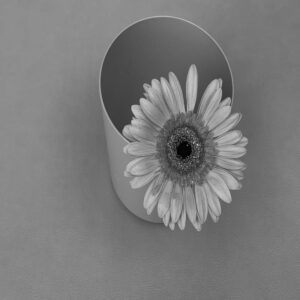
Classic Charm: Black and White
With PaintShop Pro, you can effortlessly transform colour images into stunning black and white masterpieces. To achieve this effect, simply open your desired image in PaintShop Pro, navigate to the “Effects” menu, and select “Photo Effects, then select “Black and White Film”.
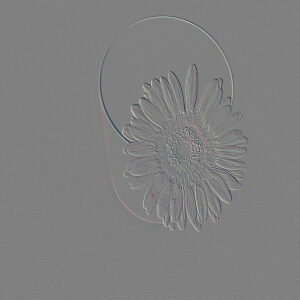
Adding Depth: Emboss
The emboss effect is a creative tool that gives images a three-dimensional appearance, making them pop off the screen. This effect works particularly well with text or objects that you want to stand out. To use the emboss effect in PaintShop Pro, open your image, head to the “Effects” menu, and choose “Texture Effects” > “Emboss.”
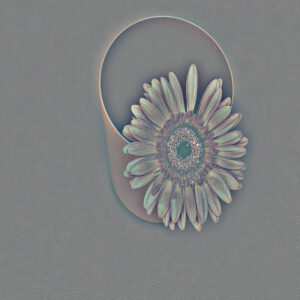
Sharpen Your Focus: High Pass
The High Pass filter enhance the details and sharpness of photographs. To apply the High Pass filter in PaintShop Pro, navigate to the “Effects” menu, and select “Edge Effects”, then select “High Pass.” Adjust the radius until the desired level of detail is achieved
Please note, the version used for PaintShop Pro for these images is Corel PaintShop Pro 2021 Ultimate.